Huawei DevEco Code Free Credits Details
Huawei's CLI coding assistant with built-in Zhipu GLM-5.1 model, ready to use after login with no manual selection needed. Completely free with no usage limits, trained on Huawei Ascend chips, coding capability reaches 94.6% of Claude Opus 4.6. Rich theme options with dark/light mode switching, great looking interface.
 Visit Official Website
Free Credits Details
- Credits: Completely free, unlimited, no usage limits
- Reset: No reset needed
- Model: GLM-5.1 Free
- Commercial: Free commercial use
Key Features
- Built-in GLM-5.1 free model
- Unlimited usage, no limits
- npm global install
- Huawei account login
- Terminal interface
Pros
- Completely free with no limits, no queuing
- GLM-5.1 coding capability near Claude Opus
- npm install, 3 minutes to start
- Based on Huawei Ascend chips, domestic autonomous
- Not tied to HarmonyOS development, works for general coding
Cons
- Standalone CLI tool, cannot integrate with Cursor/Claude Code
- Currently positioned as HarmonyOS development assistant
- Model capability not as strong as Claude Opus/GPT-4o
Usage Tips
- npm install -g @deveco/deveco-code
- Type 'deveco' in terminal to start
- Type '/models' to select GLM-5.1 Free
- Use as backup when main tool has issues
GLM-5.1 Model Capability
- Scored 45.3 in Claude Code coding evaluation
- Reaches 94.6% of Claude Opus 4.6 (47.9 points)
- 28% improvement over previous GLM-5
- Trained on Huawei Ascend chips
3-Minute Quick Start
- Install: npm global install: npm install -g @deveco/deveco-code
- Login: Type 'deveco' in terminal, select "auto-jump to browser login", login with Huawei account
- Start using: After login, just type your request — GLM-5.1 is the default model, no manual selection needed
Special Feature: Themes
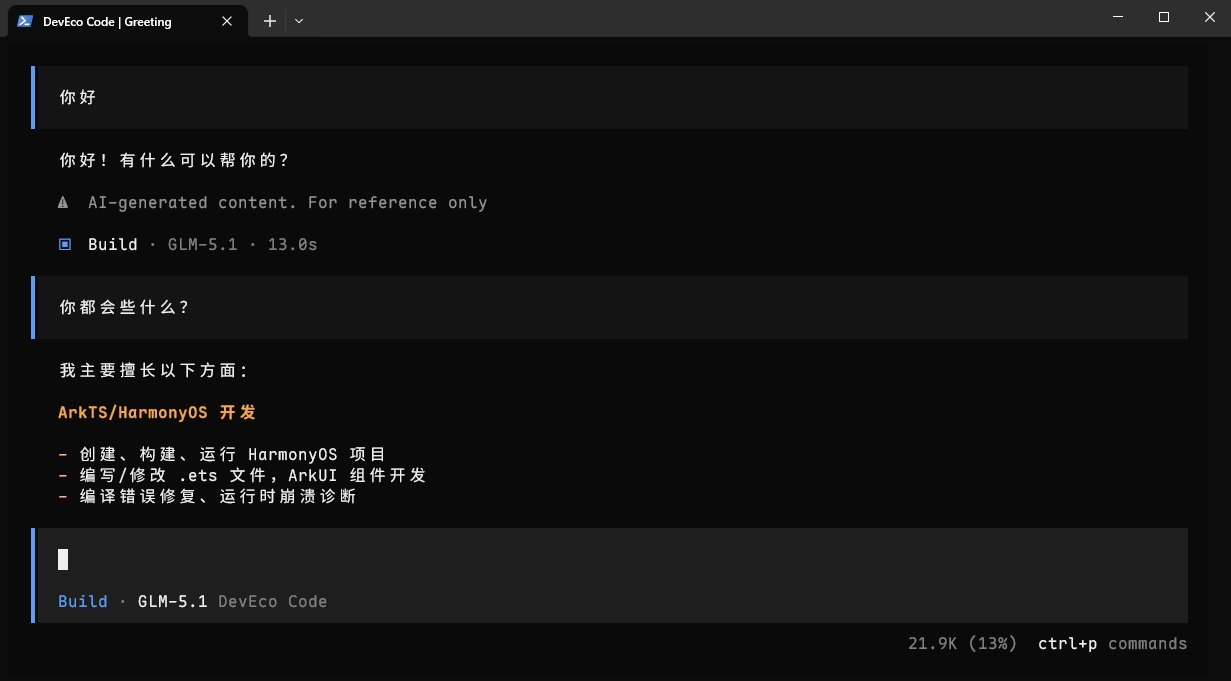
DevEco Code comes with multiple built-in editor themes, supporting dark/light mode switching. The interface looks great and provides a comfortable coding experience. The screenshot above shows the default dark theme with excellent visual effects.
Difference from Other Free Solutions
- SiliconFlow and iFlytek: Give tokens, but have usage limits and rate restrictions
- Zhipu Coding Plan: Need to grab every morning, only get quota if successful
- MoMA: Give 25 million tokens, but require real-name authentication and have expiration
- DevEco Code: No limits, no worry about running out of tokens, no queuing